


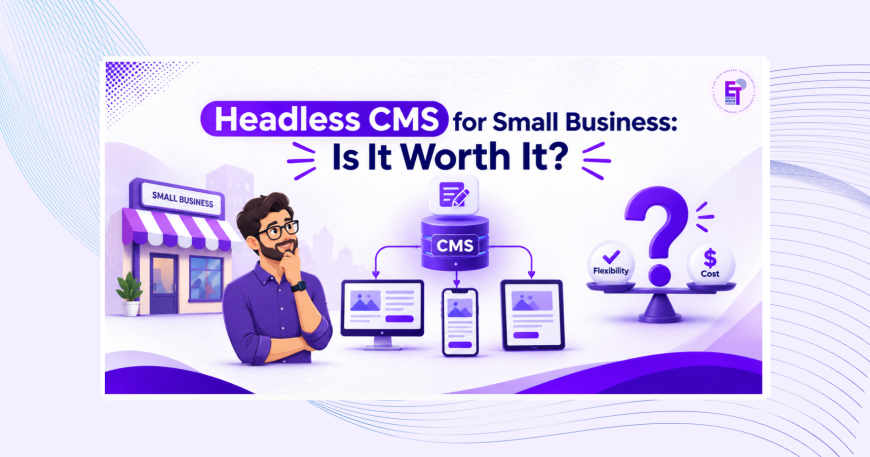
TL;DR: Most small businesses with one website and no developer should stay with WordPress. Headless pays off when you have developer access and publish content in several places.
Every few months, a developer tells a business owner to go headless. It sounds modern and fast. It also sounds expensive. So you wonder if it fits your shop, clinic, or agency.
Here is the honest answer. A headless CMS for small business websites works well in a few cases. In many others, it adds cost and stress for no real gain. This guide helps you tell which case is yours.
We build websites for small businesses at Emmanuel Tech (ETech) in Siliguri. This guide reflects that day-to-day view. It also uses pricing and claims from other published sources, which we flag clearly.
What Is a Headless CMS?
A headless CMS stores your content and delivers it through an API. It has no built-in website front end. A developer builds that part separately.
Think of a kitchen with no dining room. The kitchen prepares the food. Any website, app, or screen can serve it.
A traditional CMS like WordPress does both jobs in one place. You write, design, and publish from a single dashboard.
WordPress or Headless: What Is the Real Difference?
Many owners search headless CMS vs WordPress hoping for a clear winner. There is none. Each fits a different team. The biggest gap is who does the work. WordPress gives you themes and plugins, so you can launch in days. Headless gives full control, but a developer must build everything.
| Factor | WordPress | Headless CMS |
| Setup time | Days | Weeks |
| Developer needed | Optional | Required |
| Editor preview | Built in | Needs extra setup |
| Content reuse across apps | Limited | Strong |
| Plugin security risk | Higher | Lower |
What Are the Pros for Small Businesses?
A headless CMS for small business projects has real strengths. Here are the main ones:
- Speed: Frameworks like Next.js and Astro serve pages quickly. UnfoldCMS claims 2 to 4 times faster loads than comparable WordPress sites. That is a vendor claim, so test your own site.
- One content source: Publish once, then show it on your website, app, and kiosk.
- Fewer plugins: Fewer plugins mean fewer security patches to chase.
What Are the Cons?
The trade-offs hit small teams hardest:
- Developer dependence: Running a headless CMS without a developer is hard. Even small layout changes need code.
- Two systems: You pay for and maintain a CMS plus a separate website.
- Weaker previews: Editors often cannot see a live preview without extra setup.
Bolt.new’s glossary states the rule simply. If your content appears in only one place, headless adds overhead. A headless CMS for small business teams demands steady developer support.
What Does a Headless Setup Really Cost?
Many small teams budget only for the monthly subscription. Software is often the cheap part. Developer time is the real bill. Hidden costs usually show up after launch, not before it. Ask about them early. So, how much does a headless CMS cost for a small team? UnfoldCMS published these figures in May 2026, in US dollars:
| Item | Reported cost |
| Sanitary | $99 per month |
| Contentful at scale | $300 to $500 per month |
| WordPress Business plan | $49 per month, before plugins |
| Self-hosted VPS | $6 to $10 per month |
| Initial developer setup | 1 to 2 days, one time |
| Ongoing maintenance | 2 to 4 hours per month |
Prices change often. Check each vendor page before you budget. Also note that UnfoldCMS sells a CMS, so it has a stake in these comparisons.
Does Headless Hurt SEO?
Is a headless CMS worth it for search rankings? Not by itself. The real risk is how your pages render. Search engines must read your content as HTML. Static generation or server rendering keeps that safe. Google explains how its crawler handles JavaScript rendering in detail. A good developer will follow those basics.
When Is It Worth It?
So, does your situation fit? Check the lists below.
It is worth it if:
- You have a developer, even part time.
- You publish to a website and an app.
- Your current site is slow and plugin heavy.
Skip it if:
- You run a single blog or brochure site.
- You are a solo founder with no developer access.
- You need easy previews and ready-made plugins.
Three Questions Before You Decide
Still asking is a headless CMS worth it for your business? Answer these three questions:
- Do you publish the same content in more than one place?
- Can you pay a developer for ongoing updates?
- Does your team need quick page edits without help?
Yes to the first two questions means headless deserves a serious look. Otherwise, a well-built WordPress site wins.
Still weighing headless CMS vs WordPress? Our Astro vs Next.js guide explains how front-end options differ. Frameworks shape speed, cost, and long-term upkeep. Pick based on your team, not on hype.
Final Verdict
At ETech, we match the tool to the business, not the trend. For most owners, the answer today is not yet. A headless CMS for small business growth makes sense later. First, you need developers and several channels. So, share your goals with us, and we’ll give you a straight answer, right away after consultation.
Frequently Asked Questions
1. What is a headless CMS in simple words?
It is a content system without a built-in website. It stores your content and sends it to any website or app through an API.
2. Is a headless CMS good for a small business with no developer?
Usually not. You need a developer to build and update the front end. A traditional CMS like WordPress suits that situation better.
3. Does a headless CMS improve SEO?
It can improve speed, which helps SEO. It does not boost rankings by itself. Pages must render as crawlable HTML.
4. Is headless CMS cheaper than WordPress?
Not always. Software can cost less if you self-host. Developer time often makes the total higher.
5. Can non-technical staff use a headless CMS?
Yes, for writing and editing content. The editing screens are simple. Layout changes and previews usually need developer help.
